
 AI Design Director
AI POSTER PLANNER
Have a product to launch?
Get your first publish-ready poster in 3 minutes
AI understands your product and target audience, plans the visual strategy, gives 3 layout directions, and renders an editable finished poster. Not template collage — strategy with commercial intent.
WHY THIS WORKS
Strategy, not templates
Templates give you "usable assets". We give you "usable judgment".
Understands your product
5 brief fields (product/goal/audience/brand/tone) are enough for AI to grasp your commercial intent — not just "give me an image".
3 layout strategies
AI outputs 3 different visual strategies — not similar templates. You actually choose, instead of being chosen.
Editable final output
After picking a layout, render into an editable poster. Text, color, and layout remain adjustable — not a one-shot deal.
3 LAYOUT STRATEGIES
AI never gives you 3 similar images
Same brief, 3 different visual strategies — each solving a different publishing scenario.
Centered
Product is the hero, fits brand launch and official key visual.
Top-heavy
Visual anchor on top, info zone at bottom, fits activity pages with CTA.
Image left, text right
Clear image-text partition, high info density, fits e-commerce and product intro.
HOW IT WORKS
4 steps to a publish-ready poster
No design background required, just follow along.
Fill brief
5 fields: product, goal, audience, brand, tone. Takes 30 seconds.
Pick strategy
AI gives 4 strategy cards: core message / visual anchor / color / CTA. All adjustable.
Choose layout
3 layout directions (centered / top-heavy / left-right). Pick one.
Generate output
Render to editable poster. Text / color / layout still adjustable. Download directly.
AI GENERATED EXAMPLES
AI-generated sample posters
All posters below are generated by AI Design Director from scenario briefs, for product demo only.
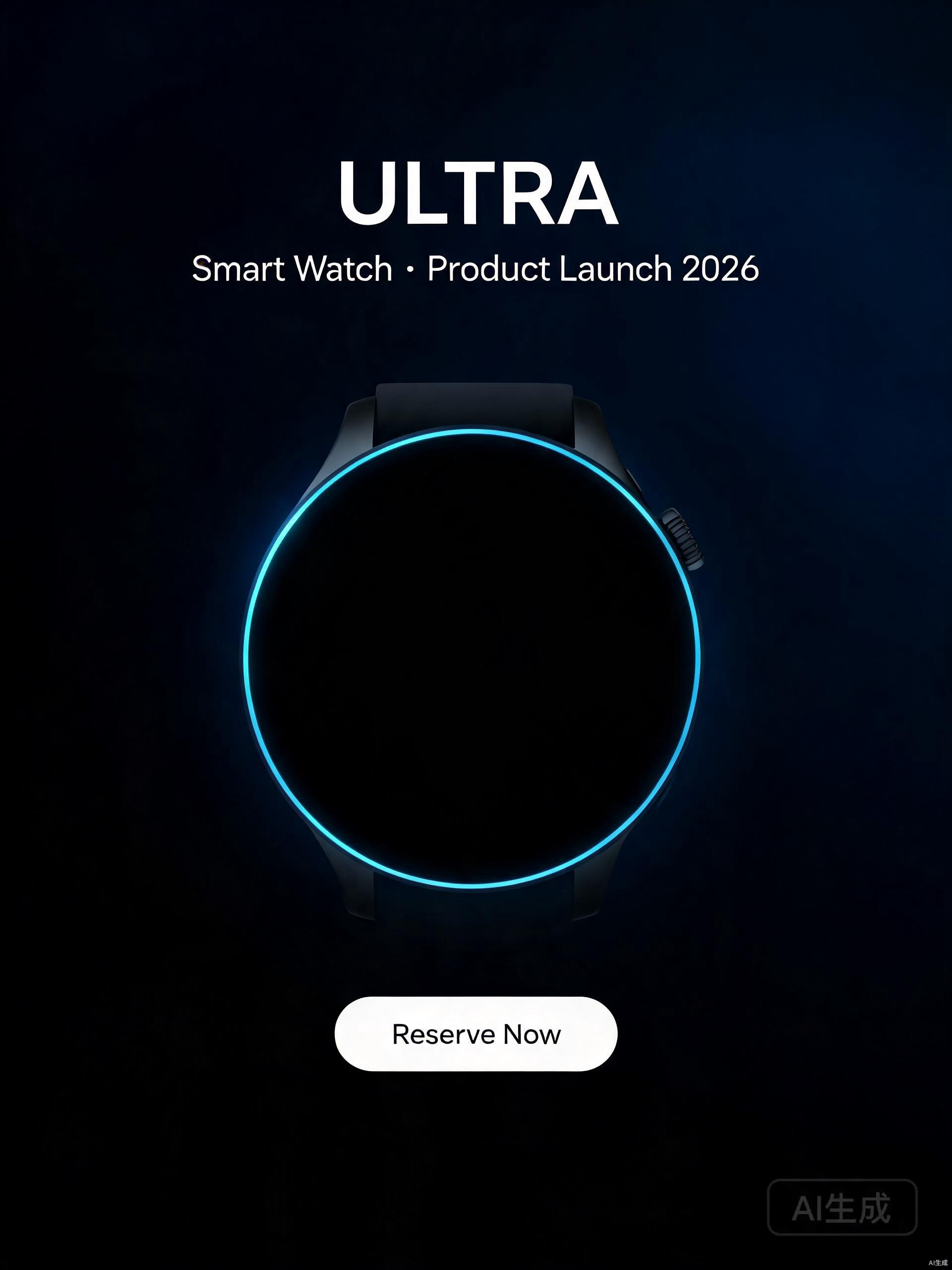
Smart Watch Ultra · Product Launch
Dark tech base + centered composition + highlighted product anchor

Aurora Spring Limited · E-commerce
Left-right partition + warm color block + breathing-room CTA
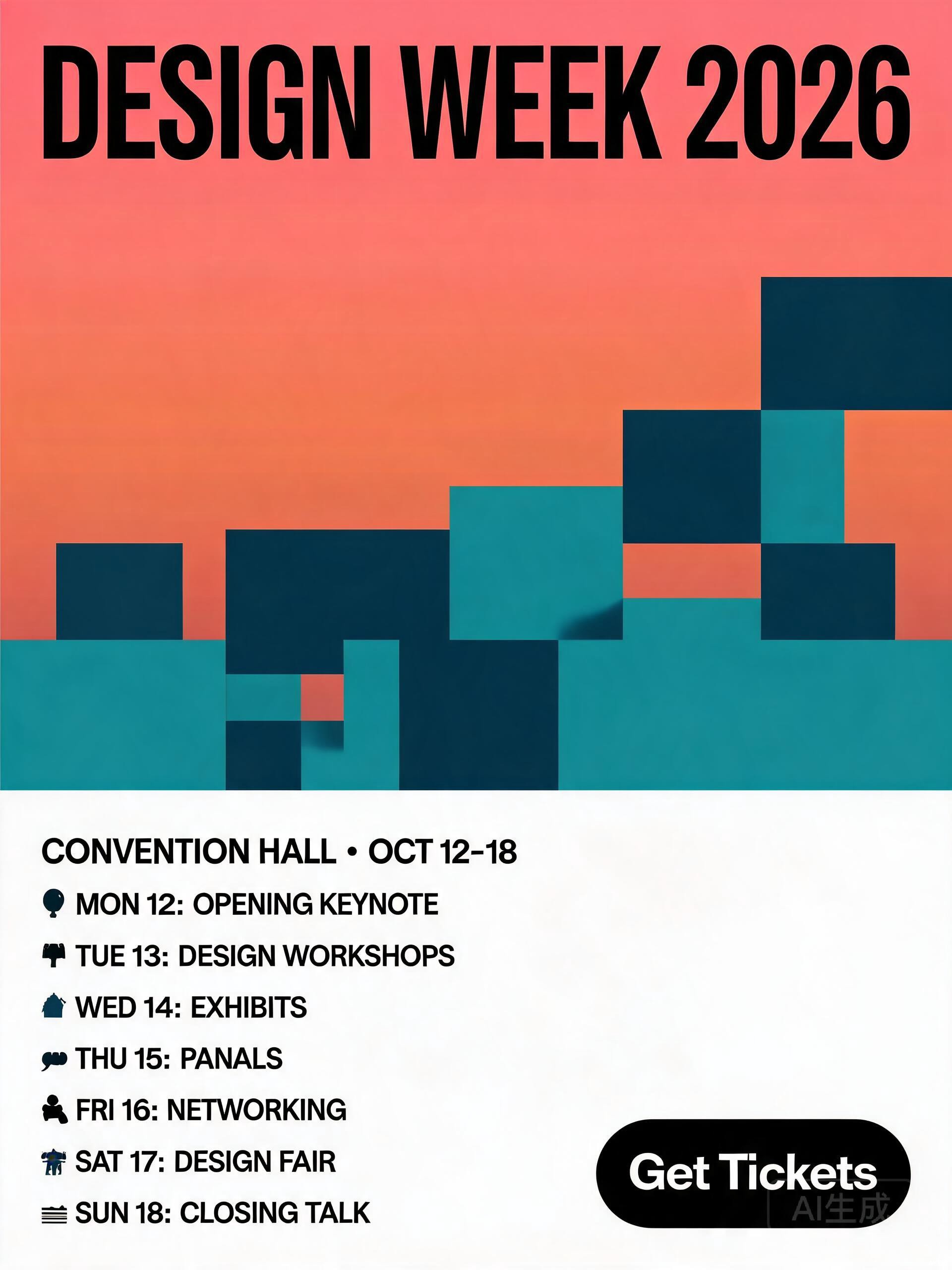
Design Week Event · Key Visual
Top-heavy + large headline + info density at bottom
VS
How is this different from templates / designers?
| Template sites | Hire a designer | AI Design Director | |
|---|---|---|---|
| Time to start | 10 min picking template | 1-3 days back-and-forth | 30s to fill brief |
| Commercial intent | No | Depends on designer | Yes (brief-driven) |
| Iteration cost | Swap template | Multiple rounds | Keep editing + regenerate |
PRICING
Plan your poster with AI, from $0
Free to start. Subscribe to unlock all layouts and full editing.
Free
- 1 free poster plan
- 3 layouts + visual strategy
- Editable output (with watermark)
Member
- 5 / month, valid 90 days
- Full 4-step workflow
- Editable output (no watermark)
FAQ
Common questions about AI poster planning
What you most want to know before using.
Yes. All design judgment (composition, color, whitespace, hierarchy) is done by AI. You only answer 5 questions (product / goal / audience / brand / tone).
Yes. All generated content belongs to you and can be used commercially. We claim no ownership of your inputs or outputs. Important: AI-generated samples may contain visual assets; we recommend self-checking brand logos and proprietary images for copyright compliance; treat samples as a starting point, not legal advice; for high-risk commercial use (e.g. national ad campaigns), consult your legal team.
No. The 3 layouts represent 3 different visual strategies (centered / top-heavy / left-right), each fitting a different scenario — pick one to edit, or swap/regenerate if unsatisfied.
No signup needed for the first free poster. Sign up to unlock more quotas (5 posters with $9.9/month subscription) and history. All quotas valid for 90 days, no monthly reset.
START PLANNING
Let AI plan your first poster
1 free poster · 2 min full flow · regenerate if not satisfied